“Watch-only” is easy to say and easy to fake.
In soft wallets the phrase often means “we prefer you not to export the seed,” while the seed — or something that can spend — still lives in app storage, backups, or a browser profile. That is convenience with a warning label. It is not an architectural split.
In SeedMask’s design, watch-only is architectural: the Coordinator is built to work with public wallet state and unsigned transactions, not with your seed phrase sitting in the app. The desktop is a workspace. SeedMask is the authority. If that sentence is wrong in a product you use, you do not have the cold path you think you bought.
What watch-only means here
Watch-only means the Coordinator can observe and prepare without ever needing the material that can authorize spend.
Concretely:
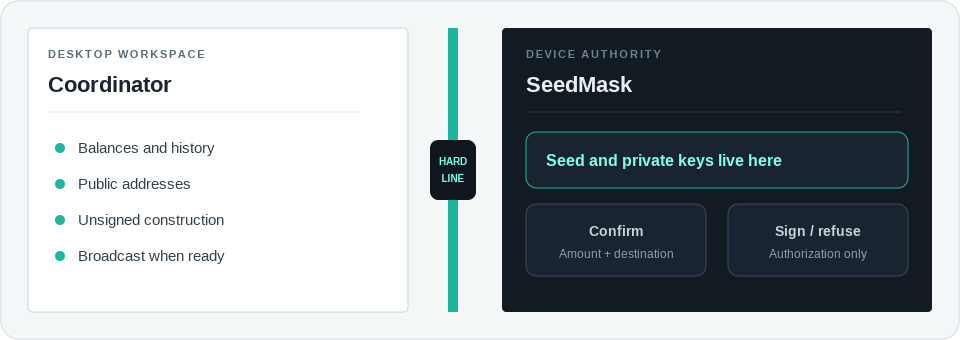
- Balances and history can live on the desktop — they are derived from public information and network data.
- Addresses and account structure can be imported as public wallet information (for example via an air-gap export from the device). You should never be asked for a seed phrase to “set up” watch-only. If you are, stop.
- Transaction construction can happen on the desktop — destinations, amounts, fees — producing an unsigned payload.
- Authorization happens on SeedMask after you confirm on the device screen.
The app’s job ends at preparation and broadcast. The device’s job starts at confirmation and signing.
That is the guarantee worth the words “watch-only.” Not a preference. A hard line in what the software is allowed to store and ask for.
What the desktop is allowed to do
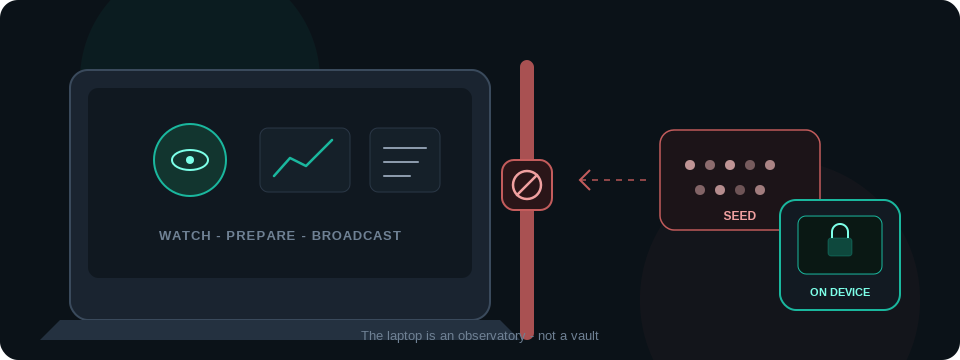
A compromised or careless desktop is still dangerous for privacy, phishing, and wrong destinations you fail to catch. Watch-only does not make the laptop holy. It limits the blast radius of laptop failure.
The desktop may:
- Display balances and activity.
- Help you organize accounts and labels.
- Build unsigned Bitcoin or Kaspa transactions.
- Carry payloads across the air gap (QR or MicroSD) and broadcast signed results when you choose.
The desktop must not:
- Hold your seed, private keys, or a “temporary paste for restore.”
- Ask you to type the seed “just this once” to recover, debug, or speed things up.
- Sign with material it extracted from a backup file you should never have created on that machine.
If a workflow only works when the seed enters everyday software, the workflow is not cold. Rename it and treat it accordingly.
What only the device may do
SeedMask holds the keys. It shows what you are about to authorize. It signs. It can refuse.
That includes the boring discipline that actually protects funds: reading amount and destination on the device before every send. The Coordinator UI can be mirrored, spoofed, or rushed. The device confirmation is the place the air gap pays rent. For the full loop, see Air gaps in practice.
Watch-only without device confirmation is incomplete. Device signing with a seed that also lives in the app is cosplay.
Why “just type the seed once” ends the cold path
People invent exceptions:
- “I need history on a new laptop.”
- “Support asked me to verify the words.”
- “I’ll delete the note after.”
- “It’s only for a test wallet.”
Each exception trains the same muscle: the seed is allowed to visit hot surfaces. Camera rolls, cloud notes, chat pastes, and “secure” password managers on phones are not cold storage because they sync, get screenshotted, and share fate with everything else on that device.
Once the seed has been typed into everyday software, you should assume that software — and its backups — are now part of your threat model for those funds. You can still use hardware later. You cannot rewind the exposure.
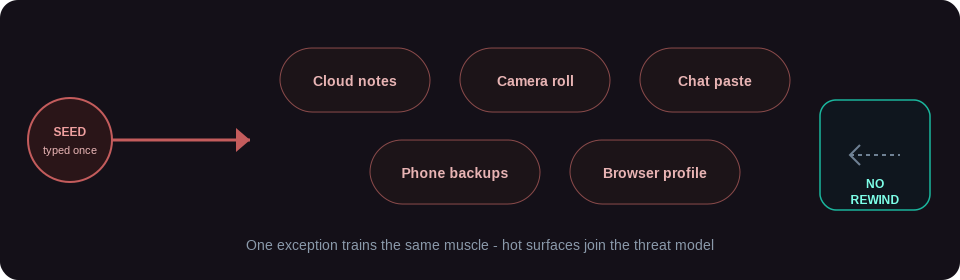
SeedMask’s watch-only Coordinator is meant to remove the excuse. Setup should import public wallet information from the device. Spending should cross an air gap. Restore belongs on SeedMask from your offline backup — not through the desktop app “because it was easier.”
How this pairs with the air gap
Watch-only answers where the seed is allowed to live. The air gap answers how value is allowed to move. Separate questions — useless if you only answer one.
If the desktop app can hold your seed — or asks you to type it — that app is already a soft wallet. The hardware device does not fix that; it is only an accessory around software that already had spending power. Without the air gap and on-device confirmation, you are betting the companion app or cable never lies. Keep both pieces: the app never holds your seed, and nothing spends until SeedMask says so on its own screen.
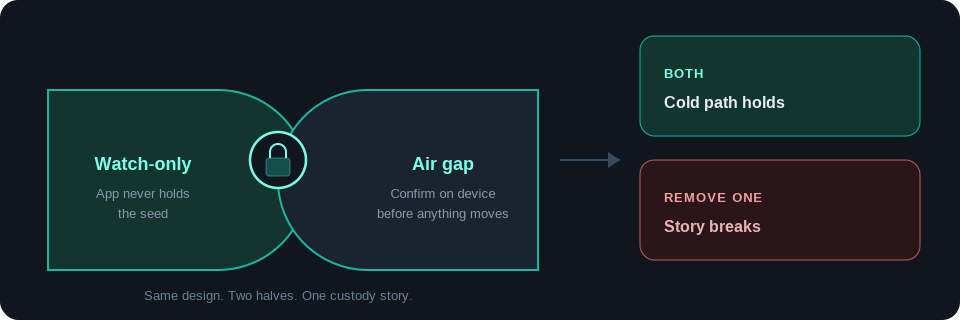
That is the honest version of the split — not a metal shell around software that already knew your keys.